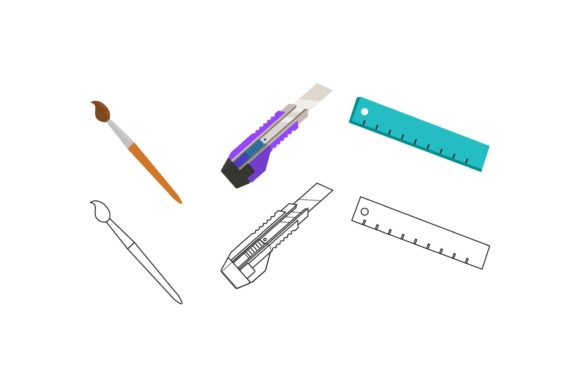
Streamline Your School Design Workflow
Creating educational materials often requires a delicate balance between aesthetic appeal and functional clarity. Whether you are designing a newsletter for parents, crafting engaging classroom posters, or developing digital assets for an online learning platform, the visual component plays a critical role in how information is received. This is where having access to versatile, high-quality design resources becomes not just a luxury, but a practical necessity. The School Education Bundle offers a streamlined solution for creators who need professional-grade visuals without the steep learning curve or time investment typically associated with custom graphic design.
For educators, administrators, and creative freelancers working in the education sector, time is often the scarcest resource. Spending hours adjusting margins, selecting fonts, or troubleshooting file compatibility can detract from the core mission of teaching and communicating. By utilizing a pre-designed bundle that is optimized for multiple platforms, you can significantly reduce production time while maintaining a consistent and polished brand identity. The value lies not just in the images themselves, but in the flexibility they offer across different media types.
Versatility Through Multiple File Formats
One of the most significant advantages of the School Education Bundle is its comprehensive approach to file compatibility. In the modern digital landscape, a single image format rarely suffices for all use cases. A design that looks perfect on a website might fail when printed on a banner, or a vector file might be unnecessary overhead for a simple social media post. This bundle addresses these varying needs by providing six distinct format files, ensuring that you are prepared for any project requirement.
The inclusion of an AI (Adobe Illustrator) file and an EPS (Encapsulated PostScript) file is particularly valuable for professional designers and those with access to vector-based software. These formats allow for infinite scalability without loss of quality. If you need to enlarge a graphic for a school gymnasium banner or shrink it for a business card, vector files ensure crisp edges and clean lines every time. Furthermore, these files are fully editable, meaning you can adjust colors to match specific school branding, modify text elements, or rearrange components to suit your unique layout needs.
For users who may not have specialized design software, the bundle also includes SVG (Scalable Vector Graphics), DXF (Drawing Exchange Format), JPG, and PNG files. The SVG format is increasingly essential for web developers and digital marketers, as it provides small file sizes and sharp rendering on high-resolution screens. The DXF file opens up possibilities for those using cutting machines or CAD software, allowing for physical creations such as decals or signage. Meanwhile, the JPG and PNG files offer immediate usability for quick uploads to learning management systems, email newsletters, or social media channels. The PNG format, with its support for transparency, is especially useful for layering graphics over colored backgrounds or photos without unsightly white boxes.
Optimized Dimensions for Digital Clarity
The technical specifications of a design asset are just as important as its visual content. The School Education Bundle features a canvas size of 1920px by 1280px. This resolution is strategically chosen to meet the demands of modern digital displays. It aligns well with standard widescreen monitors and many presentation setups, ensuring that your materials look sharp and professional when projected in a classroom or shared during a virtual meeting.
For bloggers and content creators, this aspect ratio is highly effective for featured images and header graphics. It provides enough horizontal space to include compelling visuals alongside text overlays, which can improve click-through rates and engagement. While the resolution is high enough for detailed viewing, it remains manageable in terms of file size, preventing slow load times on websites—a crucial factor for user experience and search engine optimization. However, it is important to note that if your primary goal is large-format physical printing, such as billboards or very large posters, you may need to verify the DPI (dots per inch) settings in the vector files to ensure print-ready quality, although the vector nature of AI and EPS files generally mitigates resolution concerns.
Enhancing Communication and Brand Consistency
Consistency in visual communication helps build trust and recognition. For schools and educational organizations, maintaining a cohesive look across all touchpoints—from report cards to event flyers—reinforces professionalism. Using a unified design element from the School Education Bundle allows you to create a recognizable visual language. When parents and students see familiar design motifs, it creates a sense of stability and organization.
Consider the scenario of a school launching a new literacy program. By using the same base design elements across email announcements, website banners, and printed handouts, the campaign feels more coordinated and impactful. The ease of editing the provided files means that you can adapt the core design for different sub-events or grade levels without starting from scratch. This modularity supports efficient communication strategies, allowing small teams to produce high-volume content without sacrificing quality.
Who Benefits Most from This Resource?
While the School Education Bundle is designed with educational contexts in mind, its utility extends to a broad range of professionals. Teachers can use these assets to make their classroom materials more engaging, helping to capture student attention. Administrative staff can streamline the creation of official documents and communications. Freelance graphic designers working with educational clients will find the editable source files invaluable for speeding up their workflow and delivering customizable options to their customers.
Small business owners who sell educational toys, books, or tutoring services can also leverage these designs for their marketing materials. The professional appearance of the graphics can elevate the perceived value of their products. Additionally, homeschooling parents looking to create structured, visually appealing lesson plans may find the organized and clean aesthetic of the bundle helpful in fostering a productive learning environment at home.
Practical Considerations for Implementation
To get the most out of the School Education Bundle, it is helpful to assess your current technical setup. If you are comfortable with Adobe Illustrator or similar vector programs, start with the AI or EPS files to maximize customization. If you prefer simpler tools like Canva or Microsoft PowerPoint, the PNG and JPG files will integrate seamlessly. Remember that while the designs are easy to edit, taking a few moments to understand the layer structure in the vector files can save time in the long run.
It is also worth considering the context in which these designs will be used. For digital-only applications, the provided resolution is excellent. For mixed-media campaigns, ensure you test the print quality of the vector exports before committing to large print runs. By understanding the strengths of each file format included in the bundle, you can make informed decisions that enhance your project outcomes.
In conclusion, the School Education Bundle serves as a practical tool for anyone involved in creating educational content. By offering a variety of editable formats and optimized dimensions, it removes technical barriers and allows creators to focus on messaging and engagement. Whether you are looking to save time, improve visual consistency, or simply add a professional touch to your materials, this resource provides the flexibility and quality needed to support your goals effectively.