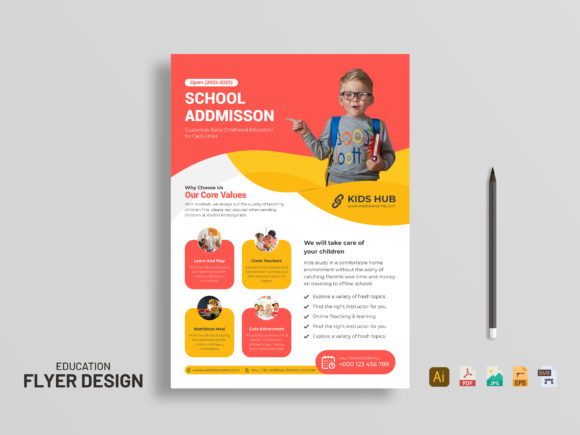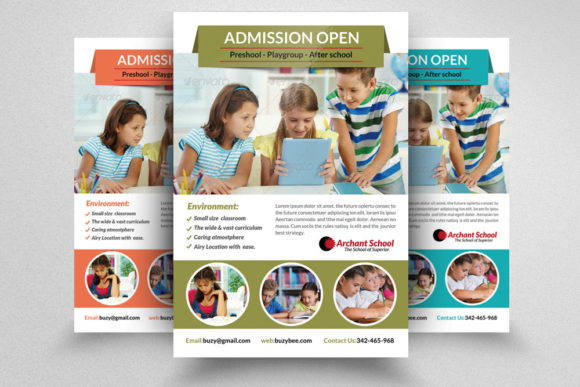
Designing Impactful Children School Education Flyers for Modern Engagement
In an era where digital notifications compete for every second of attention, the tangible impact of a well-designed print piece remains surprisingly potent. For educational institutions, tutoring centers, and after-school programs, the Children School Education Flyer serves as a critical bridge between institutional offerings and parental decision-making. While social media algorithms dictate reach, a physical flyer placed in a community center, library, or local café offers a targeted, high-intent touchpoint. However, the effectiveness of this traditional medium now hinges entirely on professional execution, technical precision, and aesthetic appeal.
The modern parent is discerning. They are accustomed to sleek user interfaces and high-production-value content. A flyer that appears amateurish or cluttered does not just fail to attract; it actively damages credibility. This shift in expectation has transformed flyer design from a simple administrative task into a strategic marketing asset. To meet these heightened standards, creators and educators must leverage tools that offer both flexibility and professional-grade output. Understanding the technical specifications and design workflows behind these materials is no longer optional—it is essential for anyone looking to make a lasting impression in the competitive education sector.
The Technical Foundation of Professional Print Design
Many individuals new to graphic design underestimate the importance of technical specifications, often assuming that what looks good on a screen will translate perfectly to paper. This is a common misconception that leads to blurry images, color shifts, and wasted printing budgets. A professional Children School Education Flyer requires adherence to strict industry standards to ensure the final product reflects the quality of the education being promoted.
First and foremost is the color mode. Designs intended for print must be created in CMYK Color Mode, not RGB. RGB is designed for light-emitting screens, while CMYK (Cyan, Magenta, Yellow, Key/Black) is used for ink-based printing. Converting a file from RGB to CMYK at the last minute can result in duller colors and unexpected shifts, particularly in vibrant blues and greens often used in educational branding. Starting in CMYK ensures that the colors you see during the design process are the colors that will appear on the printed page.
Resolution is equally critical. A standard web image runs at 72 DPI (dots per inch), which is insufficient for print. To achieve sharp text and crisp imagery, a resolution of 300 DPI is mandatory. Anything lower will result in pixelation, making the flyer look unprofessional and difficult to read. Furthermore, the physical dimensions must account for the cutting process. The standard Size 8.5×11 inches is common for handouts, but printers require a 0.25 bleed area around the edges. This extra space ensures that when the paper is trimmed, there are no unsightly white borders if the cut is slightly off-center. Ignoring bleed settings is a frequent error that compromises the polished look of the final piece.
Efficiency Through Smart Customization
Time is a scarce resource for educators, marketers, and small business owners. The demand for rapid deployment of marketing materials has driven the adoption of template-based workflows. A high-quality PSD file offers a significant advantage over starting from scratch or using rigid online builders. The key feature here is easily customization through Editable Text Layers. This allows users to swap out placeholder information—such as class schedules, contact details, and program descriptions—without disrupting the overall layout or typography hierarchy.
Even more powerful is the use of Smart Object Layers for images. In traditional design workflows, replacing an image often requires resizing, masking, and adjusting filters manually for each new photo. With Smart Objects, users can simply double-click the layer, insert their own photograph of students or facilities, and save. The design automatically updates, maintaining all applied effects, perspective, and framing. This feature is invaluable for schools that need to update flyers seasonally or for different programs without hiring a designer each time.
Moreover, the structure of the file matters. A Well Organized Layer system saves hours of frustration. When layers are grouped logically—backgrounds, text, graphics, and effects separated and named intuitively—users can navigate the file with ease. This organization supports a cleaner workflow, reducing the likelihood of accidental deletions or formatting errors. Additionally, the use of Free Fonts ensures that the design remains accessible. Users do not need to purchase expensive licenses or hunt for specific typefaces; the required fonts are readily available, ensuring consistency across different devices and users.
Adapting to Modern Marketing Needs
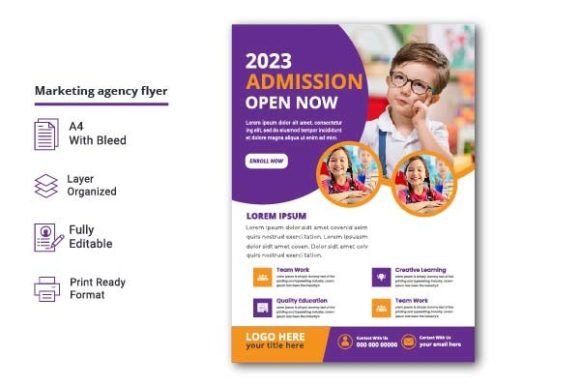
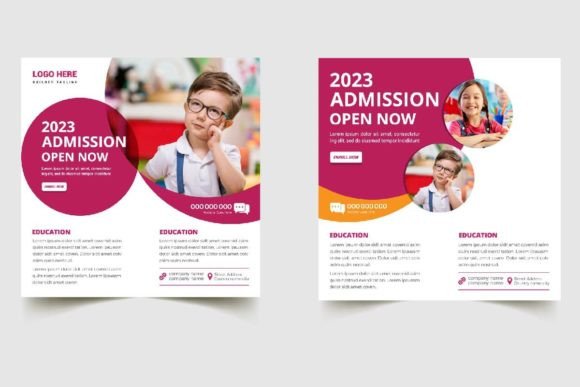
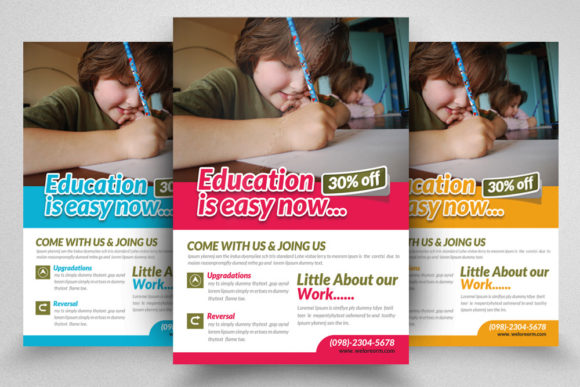
The role of the flyer has evolved. It is no longer just a static announcement; it is part of an integrated marketing strategy. Parents often scan a flyer for quick information before searching for more details online. Therefore, the design must balance aesthetic appeal with clear information architecture. A Professional and clean layout guides the eye naturally from the headline to the key benefits, and finally to the call to action. Cluttered designs overwhelm the reader, while clean designs build trust.
This aligns with broader trends in consumer behavior, where clarity and transparency are valued over hype. Educational decisions are significant investments for families. They seek reliability and professionalism. A flyer that utilizes high-quality assets, proper spacing, and coherent typography signals that the institution pays attention to detail. This perception of quality transfers directly to the perceived quality of the education provided.
Furthermore, the flexibility of digital templates supports A/B testing in physical spaces. Educators can print two variations of a flyer—one emphasizing academic rigor, another focusing on creative arts—and distribute them in different neighborhoods to gauge response rates. The ability to quickly modify text and images in a PSD file makes this iterative approach feasible and cost-effective.
Practical Implementation for Creators and Institutions
For those utilizing these resources, understanding the deliverables is crucial. A typical package includes 1 PSD File and an Instruction.txt help file. The help file is not merely a formality; it provides specific guidance on font installation, layer management, and export settings. Reading this documentation ensures that users maximize the utility of the template. It is important to note that Images are not included in such packages. This is standard practice, allowing users to insert their own authentic photography. Stock photos can feel generic, whereas real images of the school environment create an emotional connection with prospective parents.
To get the best results, users should invest time in selecting high-resolution, well-lit photographs that reflect the actual experience of the students. These images should then be placed into the Smart Object layers. After customization, the file should be exported as a PDF for printing, preserving the CMYK color profile and bleed settings. Always proofread text multiple times and, if possible, print a single test copy to check color accuracy before committing to a full run.
The feedback loop is also part of the professional ecosystem. Developers who create these templates rely on user input to improve future iterations. If a template proves useful, leaving a rating helps other creators find reliable resources. It fosters a community of practice where quality tools are recognized and refined. As the market for educational services grows more competitive, the tools we use to communicate our value must evolve. Embracing professional design standards, leveraging efficient workflows, and maintaining a focus on clear, honest communication are the pillars of successful outreach.
Ultimately, a Children School Education Flyer is more than paper and ink. It is a representation of an institution’s values and capabilities. By adhering to technical best practices and utilizing flexible, well-structured design files, educators and marketers can create materials that not only inform but also inspire confidence. In a world saturated with digital noise, a beautifully crafted, professionally printed flyer stands out as a testament to care, quality, and commitment.